
How to Reset an Adjustable Bed: Step-by-Step Troubleshooting
Resetting an adjustable bed can restore operation after a power outage, an unplugged base, a remote problem, or a bed that has stopped responding normally. The exact reset sequence depends on the brand and model, but these safe checks will help you start in the right place.
Quick Answer
First, make sure nothing is blocking the bed and that it has power. Unplug the adjustable base for about 60 seconds, plug it back in, and allow it to reconnect. Then use the reset instructions for your exact brand and model—many bases use a remote button sequence, while others use a button on the control box.
When an Adjustable Bed Reset May Help
A reset is worth trying if your adjustable base:
- Stopped working after a power outage or being unplugged.
- Will not respond to the remote, even after fresh batteries.
- Moves only part of the way or does not return to flat.
- Is out of sync with the other side of a split king bed.
- Has a remote that needs to be paired again.
- Displays an error, flashes lights, or makes clicks without moving normally.
- Seems to have lost saved positions such as Zero Gravity or Flat.
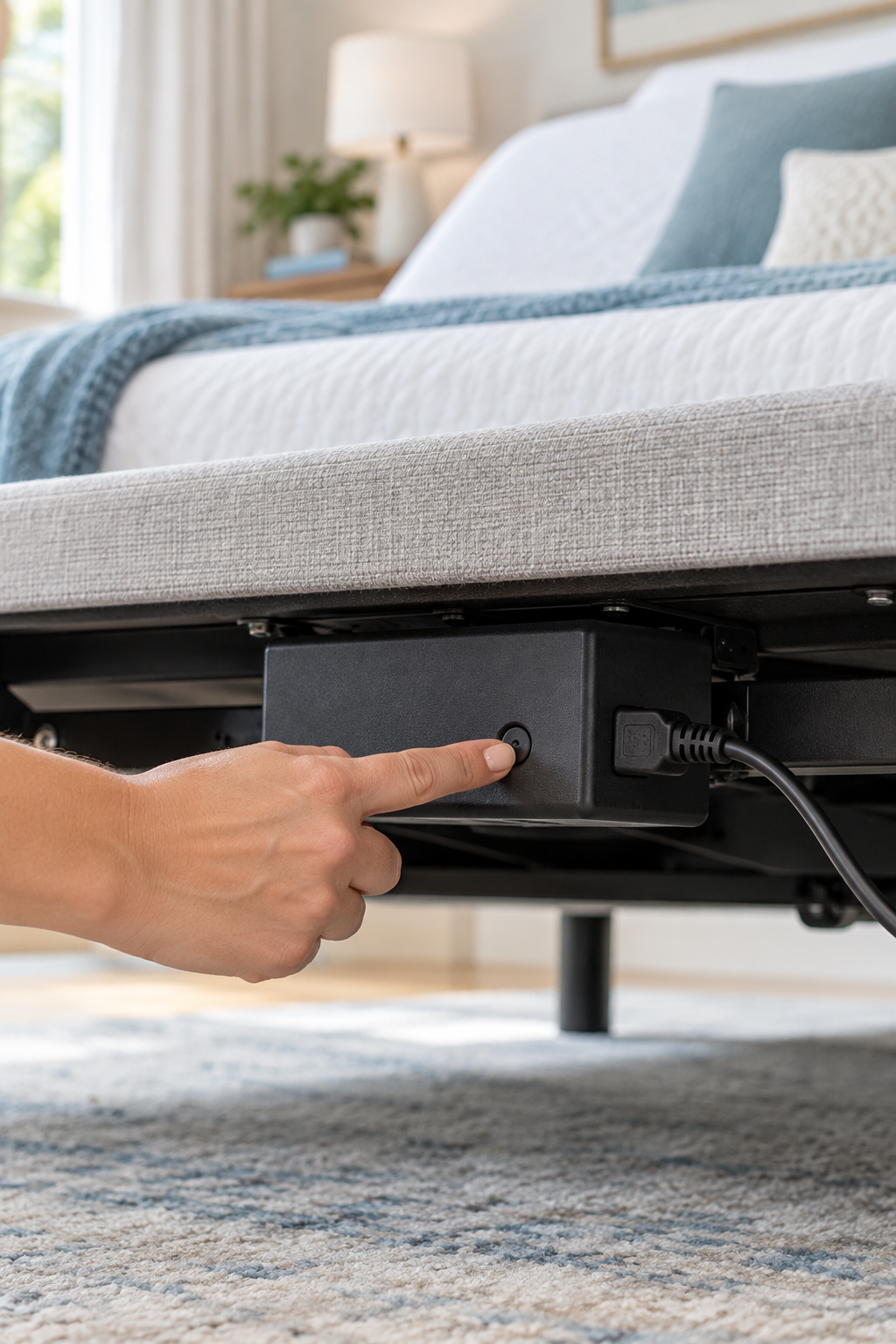
How to Reset Your Adjustable Bed Safely
Make sure no pillows, blankets, furniture, pet beds, storage items, or loose cords can interfere with the base. Do not start a reset if someone is underneath the bed or if the moving parts are obstructed.
Confirm the power cord is firmly connected to the outlet and power supply. If the control box has an indicator light, check whether it is lit. A reset will not solve a disconnected cord, failed outlet, or damaged power supply.
Disconnect the adjustable base from power and wait a full minute. This allows the electronic components to power down before you reconnect them.
Reconnect the power cord securely and give the base a minute to restart. If your remote uses batteries, this is also a good time to replace them with fresh batteries.
Some models require holding the Flat button, while others use buttons on the remote or control box. Read the correct instructions before pressing anything, because reset procedures can be time-sensitive and are not the same for every adjustable base.
Try the head-up, foot-up, and Flat buttons one at a time. If the bed resets but the remote still does not work, it may need to be paired again or the remote may be locked.
Important: Do Not Use a Random Reset Sequence
Online reset instructions often apply to only one model. Holding the wrong button combination may do nothing—or may begin a calibration cycle you did not intend. Find your brand and model number first, then follow the matching owner’s manual or official support instructions.
If Resetting Does Not Fix the Problem
If your adjustable bed still will not work after a proper reset, check these next:
- Test the electrical outlet with another working device.
- Inspect the power supply and control-box connections under the bed.
- Check that the remote is unlocked and has fresh batteries.
- Look for a disconnected motor cable or a light/error indicator on the control box.
- Pair the remote again if your manufacturer’s instructions require it after a reset.
- Stop using the base and contact the manufacturer if you see damaged wiring, smell burning, or hear unusual grinding sounds.
Find Your Brand’s Reset Instructions
Use your exact model number whenever possible. Your owner’s manual is the best place to find the proper reset, pairing, and troubleshooting instructions for your base.
Official Reset and Troubleshooting Resources
These manufacturer pages can help you locate instructions for a specific adjustable-base model.