
How to Unlock an Adjustable Bed Remote
If your adjustable bed remote lights up but the buttons will not move the base, a lock or child-lock feature may be turned on. The unlock method varies by brand, but it usually involves holding a lock button or a specific pair of buttons for several seconds.
Quick Answer
Look for a button with a lock symbol, or check the remote manual for a child-lock combination. Press and hold that button—or the required button pair—for about 3 to 5 seconds. If the remote still does not work, replace the batteries and make sure the base has power before assuming the remote is locked.
Signs Your Remote May Be Locked
A lock is possible if:
- The remote screen shows a lock icon or “LOC” symbol.
- The buttons beep or light up, but the bed does not move.
- Only certain functions work while adjustment buttons do not.
- The remote stopped working after someone held a button down.
- The bed worked normally before, with no power outage or loose wire.
- You have a remote with an obvious lock or child-lock button.
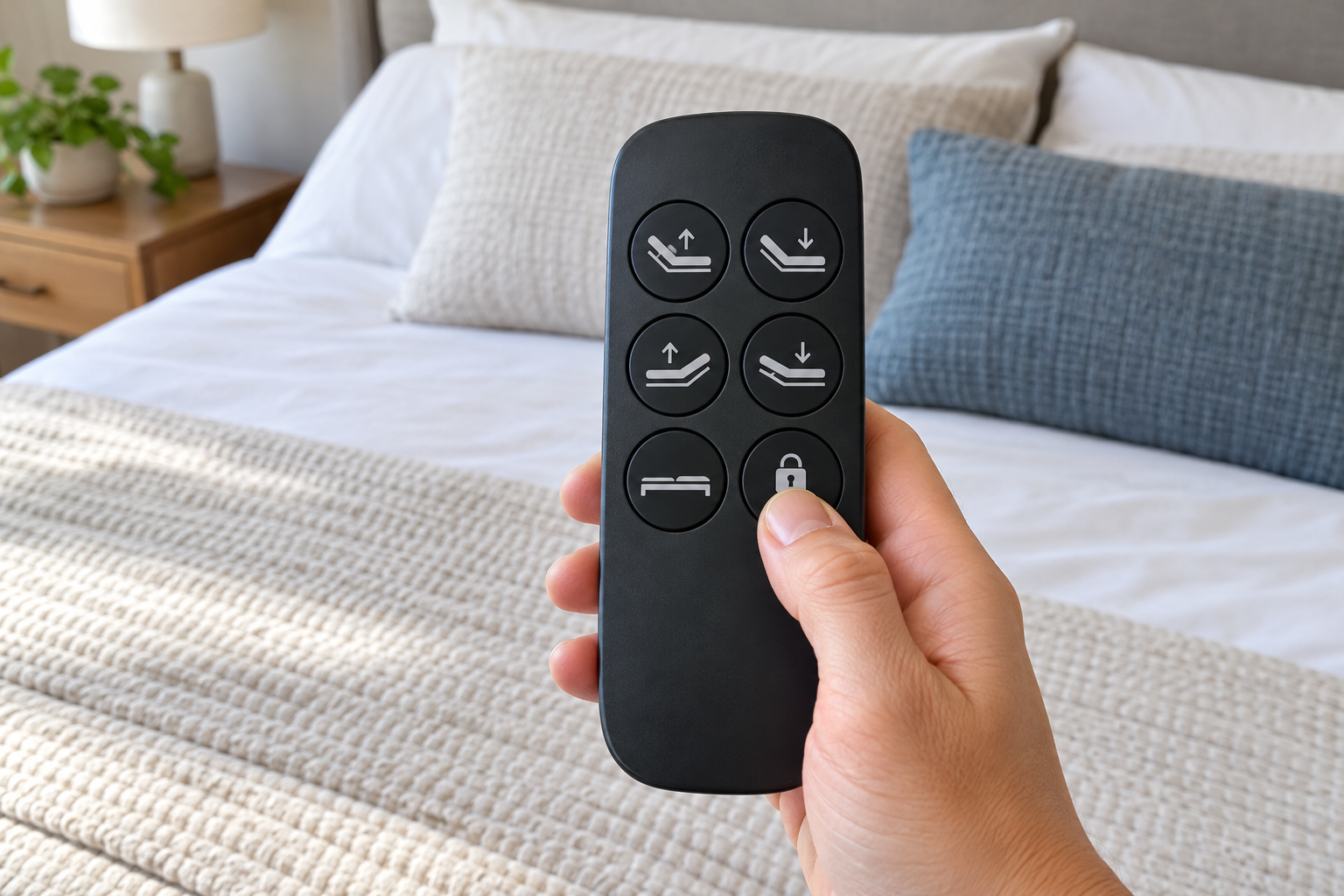
How to Unlock Your Adjustable Bed Remote
Check the front and sides of the remote for a button marked with a padlock, key, child-lock symbol, or similar icon. On some remotes, the lock control is small and easy to overlook.
Hold it for about 3 to 5 seconds, then try a head-up or Flat button. Some remotes beep, flash, or remove a lock symbol when the feature has been turned off.
Some adjustable bed remotes do not have a separate lock button. The unlock command may require holding two buttons together, such as head up and foot up. Use the instructions for your exact remote rather than guessing.
A weak battery can make the remote appear locked or unresponsive. Install fresh batteries, make sure they face the correct direction, and test the remote again.
Confirm the base is plugged in, the outlet is working, and the power supply is securely connected to the control box. A remote cannot move the bed if the base itself has no power.
If the lock feature is off but the remote still will not control the base, it may have lost its connection. Check your manual for the correct remote reset or pairing procedure.
A Locked Remote Is Not the Only Possibility
If there is no lock symbol and no button combination works, the problem may be low batteries, a lost pairing, a disconnected power supply, or a control-box issue. Check the simple causes first before ordering a replacement remote.
Before You Replace the Remote
- Use fresh batteries and inspect the battery contacts.
- Test the wall outlet and power supply.
- Look for a reset or pairing button on the control box.
- Check the remote manual for the exact unlock procedure.
- Photograph the back of the remote and its model number.
- Confirm the base model before buying a replacement.
Find Your Brand’s Remote Instructions
The correct lock and unlock procedure depends on the remote and adjustable base model. Use the manufacturer’s support page to find the manual or contact support with your model number.