
Adjustable Bed Motor Not Working? How to Find the Problem
If your adjustable bed has power and the remote seems to work, but the head or foot section will not move, the motor or its connection may be the problem. Before replacing a motor, check for a loose cable, blocked frame, control-box issue, or reset problem—those can all cause the same symptom.
Quick Answer
Unplug the adjustable base, then check the motor cable where it connects to the control box. Make sure nothing is blocking the frame and test whether the other section of the bed still moves. If one section works but the other does not, the problem may be that motor, its cable, or the control-box port that powers it.
Signs the Motor May Be the Problem
Most adjustable bases have separate motors for the head and foot sections. The motor may be the issue when:
- The head or foot section does not move, but the other section still works.
- You hear a click, hum, or brief buzz when you press the remote button.
- The remote lights up and the base has power, but one section does nothing.
- The motor cable looks loose, pinched, damaged, or pulled tight near the frame.
- The bed stopped moving after it was moved, assembled, or lifted for cleaning.
- The base will not move even after resetting the remote and power connection.
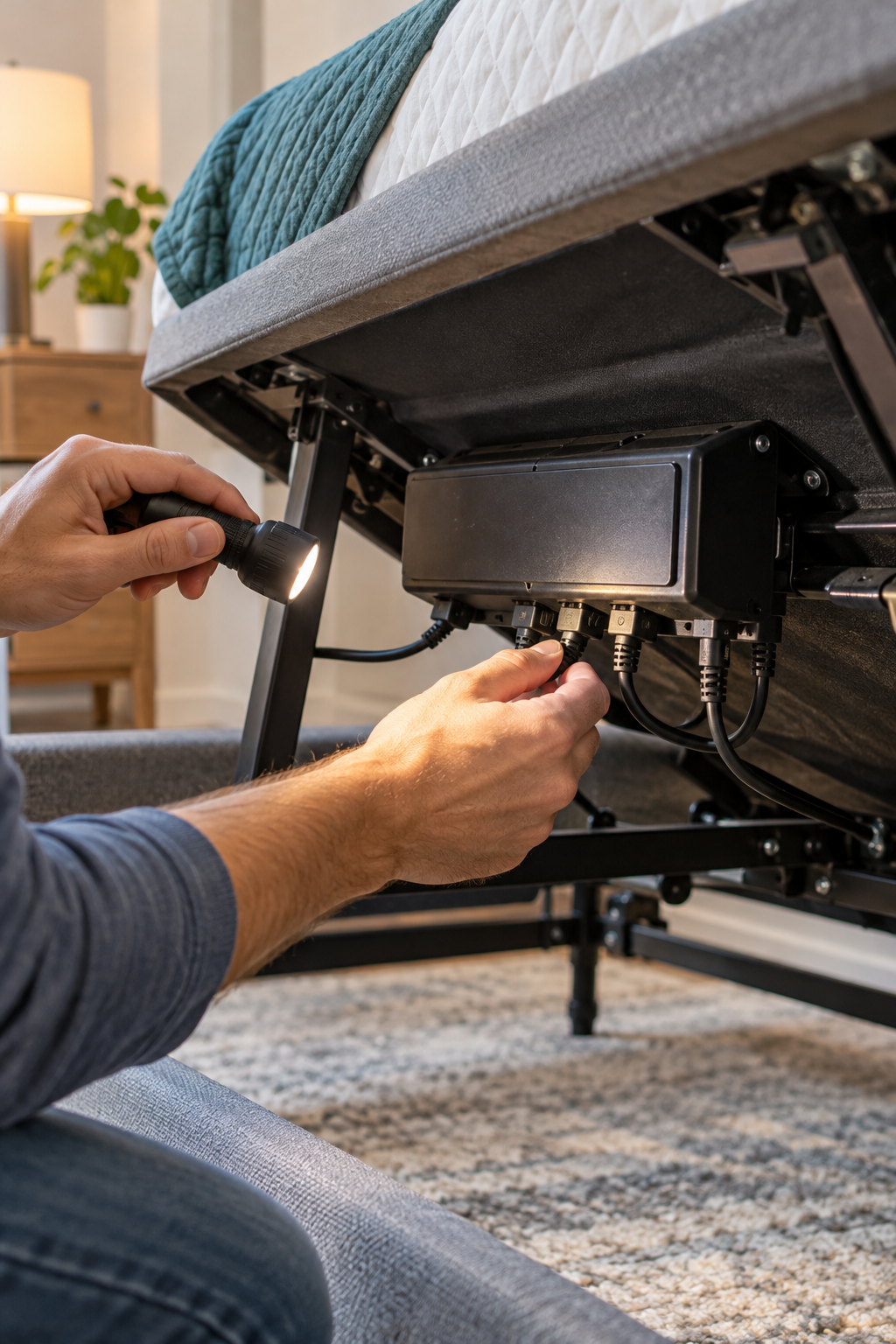
What to Check When an Adjustable Bed Motor Will Not Work
Try the head and foot controls separately. If one section works normally and the other does not, the issue is more likely with the non-working motor, its wire, or its connection—not the outlet or the entire base.
Disconnect power from the wall before touching the motor, cables, control box, or moving frame. Keep hands clear of hinges and brackets that can move unexpectedly.
Follow the wire from the non-working motor back to the control box. Press the plug firmly into its port. A connection can appear attached while still being loose enough to prevent the motor from receiving power.
Check around the moving joints and under the frame for a cable caught in metal parts, storage bins, bedding, furniture, or anything preventing the base from moving through its normal range.
Plug the motor connection back in, then reconnect the base to power. If the motor still does not work, unplug the base for about 60 seconds, reconnect it, and test again. Some control boxes recover after a full power reset.
A quiet click or hum can mean the control box is sending a signal but the motor cannot move the mechanism. No sound at all may point to a loose connection, a remote/control-box problem, or a motor that is not receiving power.
Trying to push or pull the moving section can damage the actuator, linkage, or frame. If the motor is jammed, forcing it can turn a repairable problem into a larger mechanical repair.
Do Not Open or Modify the Motor
Do not open the motor housing, cut motor wires, or try to splice a replacement connector onto the cable. Adjustable-bed motors are not universal. A replacement must match the original motor’s part number, connection style, mounting points, and control system.
If the Motor Still Will Not Work
Before ordering a replacement part, try these final checks:
- Take a clear photo of the label on the motor and the control box.
- Write down the adjustable-bed brand and model number.
- Check whether the motor cable is firmly connected at both ends.
- Confirm the base has power and the remote is paired correctly.
- Check whether your adjustable base is still under warranty.
- Stop using the base if you hear grinding, see damaged wiring, or smell burning.
Find Your Brand’s Instructions
Motor connections, reset procedures, and replacement parts vary by adjustable-base brand and model. Use the official support information for your exact base before disconnecting anything or ordering a replacement.
Official Manufacturer Resources
BedMender © 2026 | All Rights Reserved | Site by Patricia Bird Designs